
WPLocation Free 1.1.1 · available now
Your content.
Your country rules.
Show the right posts, pages and content sections to the countries you choose. Start with the free foundation for country-aware WordPress.
No paid WPLocation license. No WPLocation credits for local lookups.
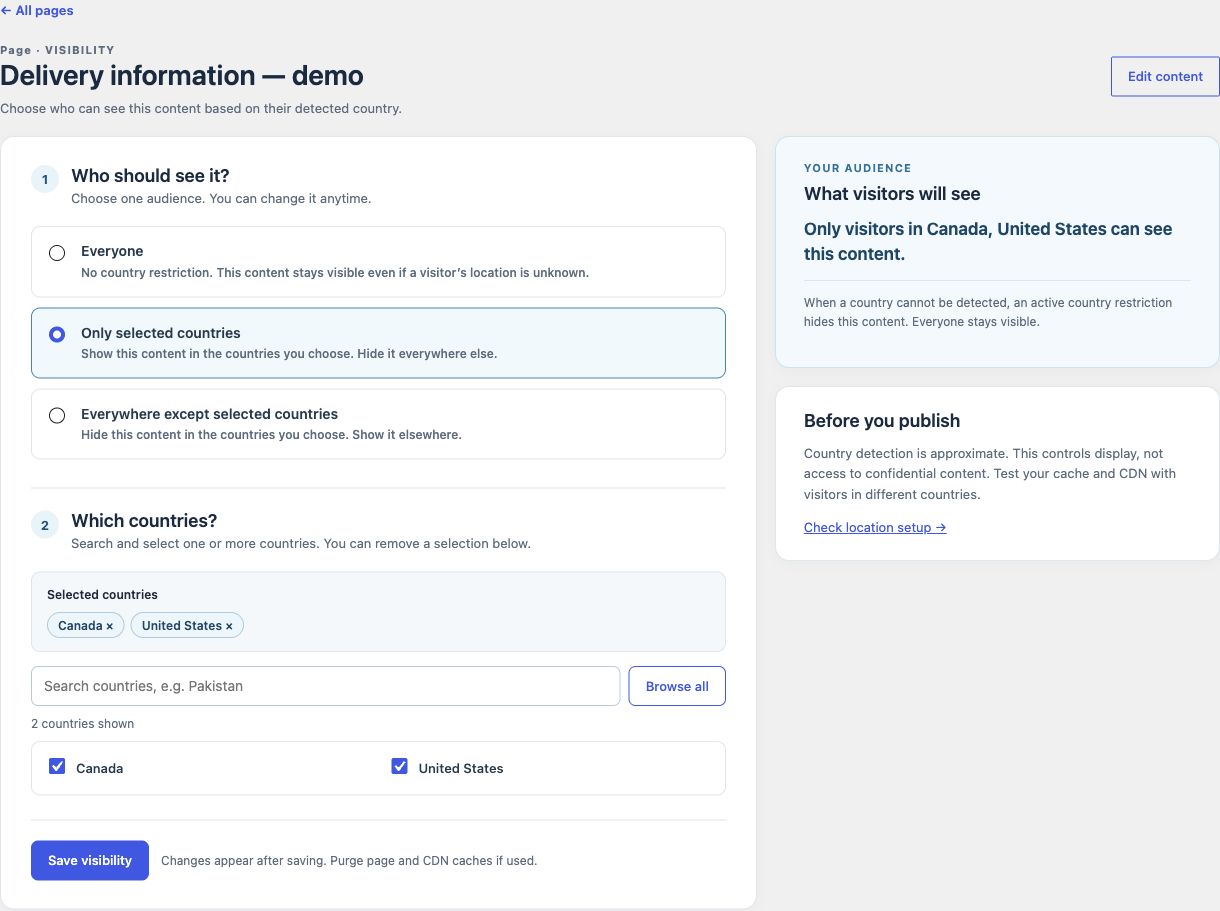
Useful from your first rule
Choose the audience.
Keep your WordPress workflow.
Posts and pages
Choose everyone, only selected countries, or everywhere except selected countries. Search and review your audience before saving.
Post categories
Apply a country rule to a category of posts. When a post and category are both restricted, every relevant rule must allow the visitor.
Blocks and shortcodes
Show a country-specific section inside a page with the visibility block or [locationtarget] shortcode.
Country display
Display a detected country name, code or optional flag with [wplocation_country]. Set a useful fallback for unknown locations.
A local country source
Use a current GeoLite2 Country database on your server. Configure your own MaxMind account or a licensed private file.
Saved-rule testing
Check a saved audience for selected countries. Use Diagnostics to check your source and country lookup, then test the real site and cache.
Know what belongs where
Free for content.
Pro for commerce.
Free works on its own. Keep it active when adding Pro; both plugins share the same country engine.
Free
Country-aware WordPress content.
- Posts, pages and post categories
- Visibility block and shortcodes
- Local country source and diagnostics
Pro
WooCommerce controls and Geo Redirects.
- Product and product-category audiences
- Catalog, cart and checkout checks
- Regional page redirects
Future add-ons
Specialist workflows and integrations.
- Forms and affiliate links
- Analytics and advanced store tools
- Final scope confirmed before release
Lifetime is a billing and license option, not a different plugin. It includes the current Pro features and future WPLocation add-on software when released, for the covered sites. Compare all plans.
Before your first rule
A small setup.
A clearer audience.
Free requires WordPress 6.8+ and PHP 8.3+. Initial testing covers WordPress 6.8.3 and 7.1.3 on PHP 8.3, single-site.
No country database is bundled. Supply a current, licensed GeoLite2 Country MMDB outside the public web root, or download one in Settings using your own MaxMind account. Automatic updates are opt in.
From ZIP to your first audience
- Install and activate Free. Upload the ZIP through Plugins → Add New.
- Configure your country source. Check the database and lookup in Diagnostics.
- Save and test a rule. Try allowed, denied and unknown countries, then check your page/CDN cache.
A few useful answers
Start with a clear picture.
Is this a trial of Pro?
No. Free is a standalone plugin with its own content rules, block, shortcodes and diagnostics. It needs no paid WPLocation license. Pro is a separate paid plugin for WooCommerce controls.
Can I download without an email address?
Yes. Open the Download Free form below and choose “Download without email”. You do not need a paid license to use Free.
Do I need a MaxMind account?
Only if you use the in-plugin GeoLite2 download. You can instead configure an existing current, licensed GeoLite2 Country MMDB and maintain it yourself. Your provider’s terms and charges still apply.
Does Free restrict WooCommerce products?
Free is for WordPress content. WooCommerce product/category audiences and catalog, cart and checkout checks are in Pro. Basic WooCommerce targeting does not require a separate future add-on.
What happens when a visitor’s country is unknown?
Content with an active country restriction is hidden. Content set to Everyone remains visible. IP location is approximate; it is not a security boundary for confidential material. Test your site’s cache and CDN with different countries.
Your free foundation
Get WPLocation Free.
Download Free 1.1.0 and set up your first country rule. No paid WPLocation license is needed.
The form also offers Download without email. Need help? Read the setup guide.